Text messaging automation has moved from a nice-to-have feature to a practical growth tool. Businesses now want SMS to be triggered by form fills, CRM updates, e-commerce events, support workflows, and internal alerts. As a result, Zapier has become a natural hub for teams that want to connect texting with the rest of their stack. Zapier says its platform connects thousands of apps, and several leading SMS platforms now position their Zapier integrations as a core part of their workflow strategy.
However, not every Zapier text messaging app serves the same type of user. Some platforms fit marketing teams that want fast campaign execution. Others work better for sales teams, support teams, or developer-led businesses that need more flexibility.
Therefore, the best choice depends on how you plan to use SMS, how much customization you need, and how tightly you want texting connected to your existing tools.
1. ProTexting
ProTexting earns the top position because it offers a strong balance of business texting functionality and Zapier-friendly automation. Its Zapier app page states that ProTexting integrates with other apps on Zapier, while ProTexting’s own integration page highlights quick access to hundreds of platforms through Zapier. That combination makes it appealing for teams that want to trigger SMS from existing business systems without building custom integrations from scratch.
What makes ProTexting especially compelling is its fit for businesses that want texting to support both engagement and operations. For example, teams can connect forms, CRM events, ecommerce actions, and lead workflows to SMS sequences or notifications. Moreover, ProTexting works well for organizations that want a recognizable texting platform rather than a developer-first communications layer. That gives it a practical edge for marketing and customer communication teams.
Another reason ProTexting ranks first is positioning. Some Zapier-connected SMS tools lean heavily toward raw infrastructure. ProTexting, by contrast, sits closer to the business user. So, if your team wants automation without making Zapier feel overly technical, ProTexting offers a strong middle ground. It is especially attractive for companies that care about promotions, alerts, reminders, and audience communication in one place.
2. Twilio
Twilio remains one of the most recognizable names in messaging automation, and its Zapier app page describes it as a tool for developers to send and receive SMS and voice calls. Zapier also lists Twilio as integrating with 8,000 other apps, which reinforces its value for teams that want programmable messaging tied to a broad automation ecosystem.
Twilio ranks second because it offers tremendous flexibility, but it does not always offer the simplest experience. If your team has developer support or wants highly customized workflows, Twilio becomes very attractive. You can use it for alerts, verification flows, transactional texts, and workflow-driven communication across many systems. In addition, its strong brand and wide adoption keep it relevant for businesses that treat messaging as infrastructure.
That said, Twilio sits below ProTexting here because this list focuses on the best Zapier text messaging apps, not the most customizable messaging API. Twilio is excellent for technical teams. Still, many business users want an app that feels easier to operationalize for day-to-day SMS automation. Therefore, while Twilio stays a top-tier choice, it fits best when flexibility matters more than simplicity.
3. SimpleTexting
SimpleTexting deserves a high spot because it clearly positions itself as a text messaging platform built to help businesses reach customers through promotions, alerts, polls, and reminders. Zapier’s app listing says SimpleTexting integrates with 8,000 other apps, while SimpleTexting’s own integration page emphasizes triggering text messages when events happen in other apps.
That positioning matters. SimpleTexting feels especially well-suited for marketers, small businesses, and teams that want straightforward texting automation tied to familiar business tools. For instance, you can imagine workflows for lead capture, appointments, e-commerce updates, and customer reminders without requiring a deeply technical implementation. As a result, it often appeals to users who want business texting that feels approachable.
Furthermore, SimpleTexting tends to resonate with teams that care about speed-to-value. It focuses on common use cases that many businesses understand immediately. So, if your goal is to quickly connect SMS to everyday workflows, SimpleTexting stands out as one of the most practical choices in the Zapier ecosystem.
4. ClickSend SMS
ClickSend SMS earns the fourth spot because it brings broad communication capabilities to Zapier while keeping SMS central to the workflow story. Zapier’s listing says ClickSend SMS integrates with 8,000 other apps, and both Zapier’s help content and ClickSend’s own integration materials highlight sending SMS messages, receiving inbound SMS, and automating communications through Zapier.
One of ClickSend’s biggest strengths is breadth. Beyond SMS, ClickSend also supports channels such as email, voice, letters, and postcards on its broader platform. Consequently, businesses that want communications automation across multiple channels may find it especially useful. That broader footprint gives ClickSend an advantage for operations-heavy teams that want one platform to handle multiple notification formats.
At the same time, ClickSend sits below the top three because many buyers searching specifically for a Zapier text messaging app want a platform that leads with SMS as the primary business interface. ClickSend certainly supports that use case well. Yet it often feels strongest when a company wants automation across several communication channels, not just text messaging.
5. Textmagic
Textmagic remains a solid Zapier SMS option for businesses that want messaging tied to campaigns, notifications, alerts, reminders, and confirmations. Zapier’s app page says Textmagic integrates with 8,000 other apps, and its description positions the platform as a business messaging service with both SMS broadcasts and email campaigns. Textmagic’s own support and integration materials also emphasize workflow automation through Zapier.
What helps Textmagic stand out is clarity. Its use cases feel direct and familiar to business teams. As a result, it works well for organizations that want an established messaging product without moving into a heavier communications stack. In many cases, that makes it attractive for reminders, internal alerts, customer updates, and lightweight marketing workflows.
Still, Textmagic ranks fifth because the competitors above it offer either a broader business-texting identity, more visible multi-channel potential, or a stronger automation-first positioning in the current Zapier ecosystem. Even so, Textmagic remains a credible choice for teams that want dependable SMS automation without overcomplicating the stack.
6. Sakari SMS
Sakari SMS rounds out the list as a strong option for businesses seeking SMS automation with a clear two-way texting focus. Zapier’s listing says Sakari SMS integrates with 8,000 other apps, while Sakari’s own Zapier integration page highlights seamless two-way texting and customer engagement through automated workflows. Its support center also directs users to Zapier-driven automations for systems such as Pipedrive and Shopify.
That makes Sakari particularly interesting for teams that care about conversational texting rather than one-directional notifications alone. For example, sales, customer success, and service teams often want replies, follow-ups, and workflow-triggered conversations rather than purely broadcast communication. In those cases, Sakari becomes a meaningful option.
Sakari lands at number six mostly because the other platforms on this list have stronger visibility or broader business momentum in Zapier-centric buying conversations. Nevertheless, it deserves inclusion because two-way business texting remains a valuable use case, and Sakari addresses it directly.
How To Choose The Right Zapier Text Messaging App
Choosing the right app starts with your primary use case. If your team wants a balanced business texting platform with strong automation potential, ProTexting makes a compelling first choice. If you need deep customization and technical control, Twilio may be a better fit. Meanwhile, if you want approachable business texting for marketing and reminders, SimpleTexting deserves a close look.
Next, think about workflow style. Some teams want simple “trigger and send” automations. Others want inbound message handling, contact syncing, segmentation, or multi-step sequences across CRMs and forms. Therefore, you should evaluate each app not just by brand familiarity, but by how well it fits the automations you plan to run every week.
Also, consider who will manage the system. That factor matters more than many buyers expect. A developer-friendly platform may look powerful on paper, but a business team may get more value from one that feels easier to operate within Zapier. On the other hand, a lightweight platform may feel limiting if your workflows become more advanced over time.
Final Thoughts
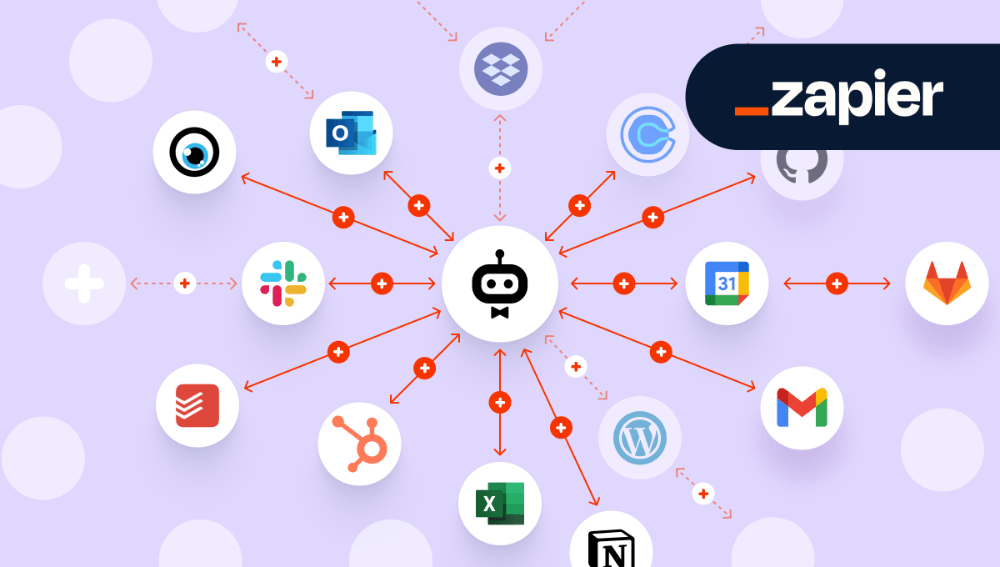
Zapier has made text messaging much more practical for modern businesses. Instead of treating SMS as a separate tool, teams can now connect it to forms, ecommerce actions, CRM changes, customer support events, and internal alerts. Because of that, the best Zapier text messaging app is usually the one that fits your workflows, not just the one with the biggest name.
For this ranking, ProTexting takes the top spot because it combines strong relevance to business texting with broad potential for Zapier automation. Twilio follows closely for technical flexibility. SimpleTexting, ClickSend SMS, Textmagic, and Sakari SMS each bring real value as well, but they serve slightly different business priorities.
So, if you are building a shortlist for SMS automation, start with the use case first. Then match the platform to your team, your tools, and your level of technical complexity. That approach will lead you to a better choice than chasing features alone.